How to Use a Videoscope Step by Step: Complete Industrial Inspection Guide
How to Use a Videoscope Step by Step
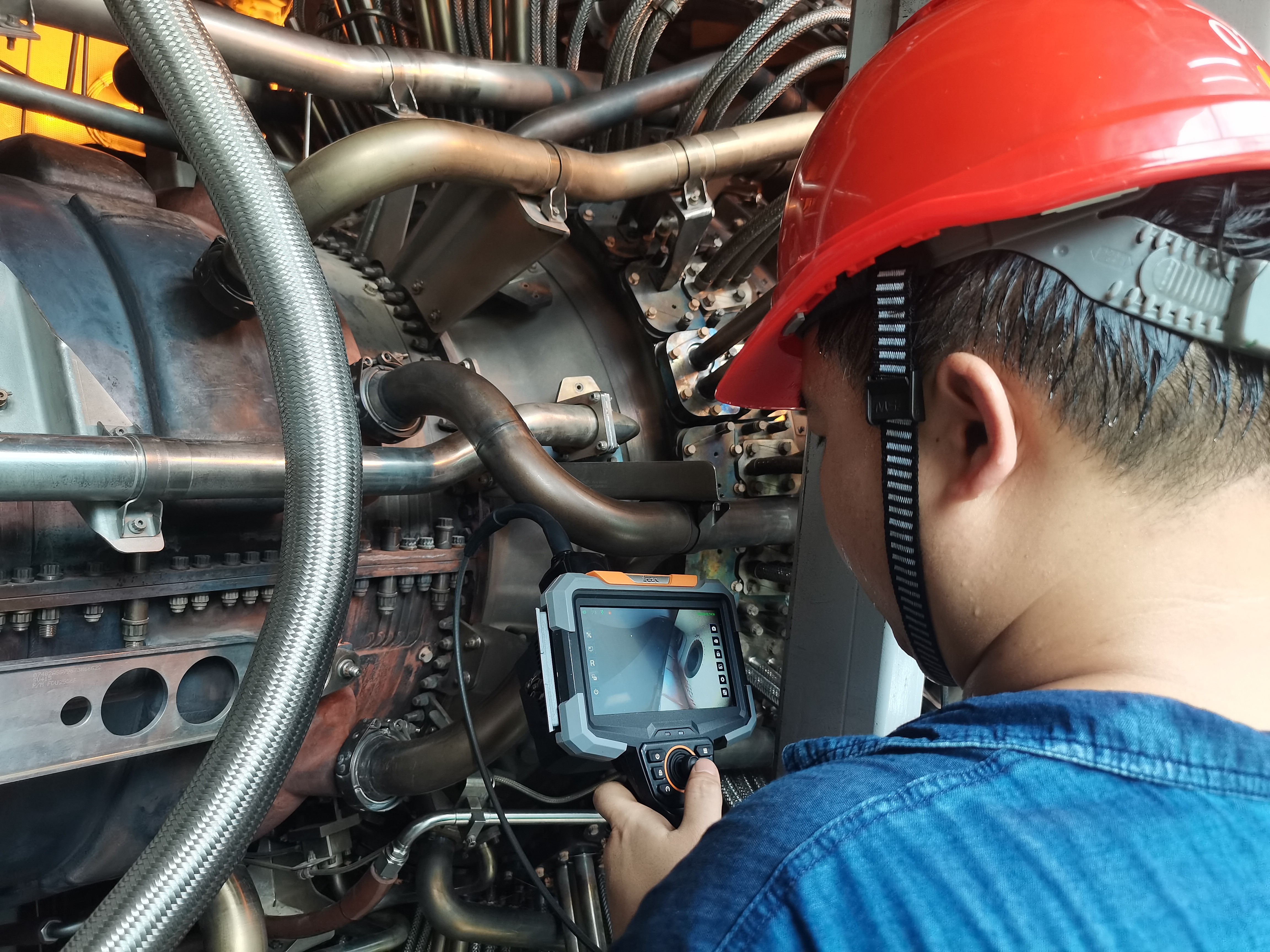
A videoscope is an essential inspection tool used across aerospace, automotive, manufacturing, energy, and maintenance industries. It allows technicians to visually examine internal structures of machinery without disassembly. This step-by-step guide explains how to operate a videoscope safely and effectively, especially for industrial applications requiring documentation and defect identification.
1. Prepare the Videoscope for Use
Before inspection, ensure that all components are functional and properly assembled. This reduces risk of damage and ensures accurate observation results.
- Check the probe for cracks, deformation, or contamination.
- Ensure the camera head is clean and free of oil or debris.
- Verify battery level or connect the device to a power source.
- Insert the memory card if your videoscope supports media storage.
- Turn on the main unit and confirm that the display is functioning.
2. Adjust Basic Settings
Optimizing your videoscope settings helps achieve clearer images and more accurate defect detection, especially in low-light or complex environments.
- Set the LED brightness based on pipe diameter and reflectivity.
- Adjust camera exposure or gain if the device supports it.
- Select image mode (standard, high contrast, low light mode).
- Configure photo and video resolution.
- Enable measurement calibration (if using a 2D or 3D measurement videoscope).
3. Insert the Probe Into the Inspection Area
Insert the probe slowly and avoid applying excessive force. Industrial environments often include sharp edges, oil residue, and curved passages that require careful navigation.
- Hold the probe near the insertion point for better control.
- Feed the probe progressively to avoid bending damage.
- Use articulation control to adjust viewing direction.
- Ensure sufficient lighting for deep or narrow cavities.
- Pause periodically to allow the camera to stabilize.
4. Inspect and Record Findings
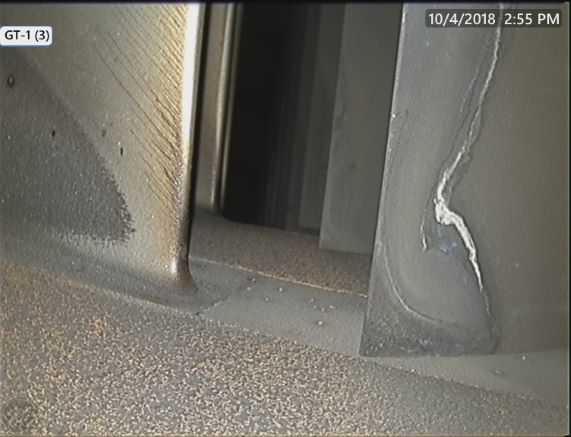
Once the probe reaches the target area, observe the display carefully for defects, contamination, corrosion, weld inconsistencies, or foreign objects.
- Zoom in to analyze small defects (if optical zoom is available).
- Take clear photos from multiple angles.
- Record videos for continuous monitoring.
- Use measurement features to quantify cracks or gaps.
- Tag images for post-inspection reporting.
5. Withdraw the Probe Carefully
Retracting the probe requires the same level of caution as insertion. Avoid dragging the camera against hard surfaces.
- Release articulation before retracting.
- Pull the probe out slowly and evenly.
- Inspect the probe surface for contamination or damage.
6. Review and Export Inspection Data
Videoscopes allow easy export of data for reporting, documentation, or technical review.
- Transfer images and videos to a PC or tablet.
- Create inspection reports using captured media.
- Highlight key defects using software tools.
- Store backups for long-term tracking.
7. Clean and Maintain the Videoscope
Proper maintenance extends device lifespan and ensures reliable performance during future inspections.
- Wipe the probe with a soft, non-abrasive cloth.
- Avoid harsh chemical cleaners unless specified by the manufacturer.
- Store the probe in a protective case.
- Keep the device in a dry, dust-free environment.
- Perform periodic calibration for measurement-enabled models.